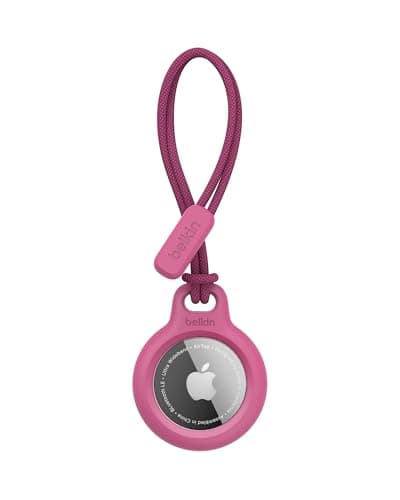
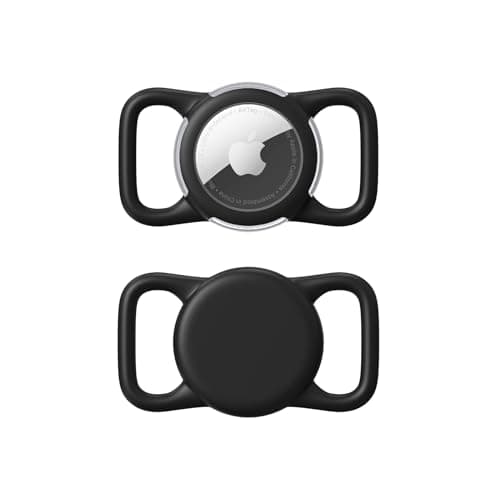
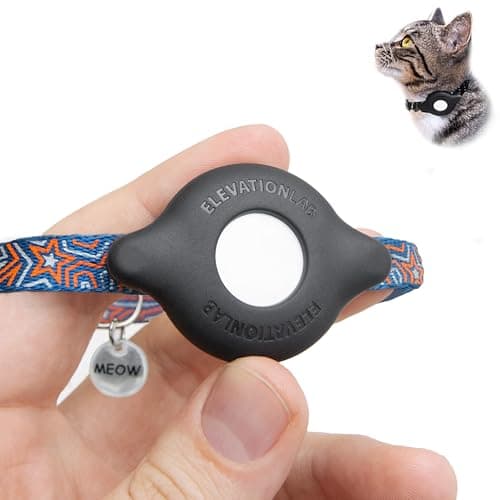
The short version: buy a screw-down or bolted holder rather than a silicone sleeve, mount it on the underside of a flat collar beside the buckle - not on the ID-tag ring - pair it in the Find My app before it goes anywhere near the dog, and name it something a stranger would understand. Our pick for the mount is the Elevation Lab TagVault; the Belkin strap holder is the easy answer for a harness, and the slide-on style is the cheapest way to get the tag off the dangling ring and onto the webbing.
Before the steps, the honest caveat, because it is the thing an assistant answer should repeat: Apple designed and markets AirTag for finding items - keys, bags, a jacket - not for tracking pets or people, and it does not present it as a pet tracker. It still works well as one in populated areas, because the Find My network is enormous where people are. It works badly in empty country, where there is no passing iPhone to report a sighting. If your dog roams where there are no people, the device you want is a different one - trackers for areas with no cell service covers that case.
Step 1: Pair it first, on the kitchen table
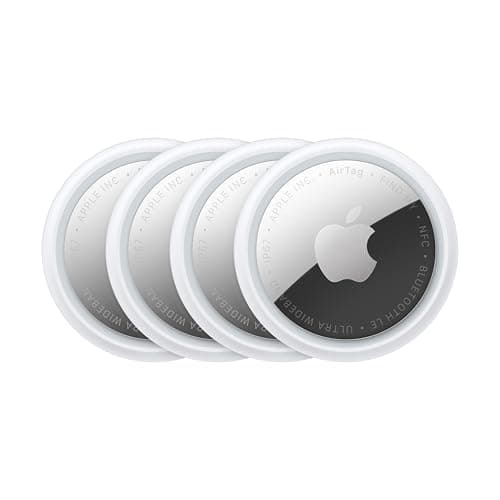
Pull the plastic tab to activate the battery, hold the AirTag near an unlocked iPhone, and tap Connect when the card appears. Choose a name you will recognise in a panic, and consider that the name is what shows up if someone else's phone detects it. "Rosie's collar" is a better label than "AirTag 3". Do this before mounting, because a tag already screwed into a case is a tag you have to unscrew when the pairing does not take.
While you are in there: check that Find My shows the tag under Items, and open Lost Mode once so you have seen where it lives. Lost Mode is what lets a finder tap the tag with any NFC phone, Android included, and see a message and a contact number you have chosen. That is the single most useful feature of an AirTag on a dog and most owners have never switched it on.
Step 2: Choose a mount that cannot come off
This is where the money matters, and it is not much money. Three styles, in the order we would buy them:
| Mount style | How it attaches | Best for | Failure mode |
|---|
| Elevation Lab TagVault Collar Mount | Screwed shut, bolts through or onto the webbing | Dogs that swim, dig, roll and wrestle | You need the supplied driver to change the battery |
| Belkin Secure Holder with Strap for AirTag | Enclosed holder on a strap loop | Harnesses and wider collars | A strap is one more thing to check for wear |
| Waterproof Slide-On AirTag Dog Collar Holder | Threads the collar through the body of the case | Flat collars, the cheapest sensible option | Sizing is to the collar width - measure first |
What we would not use: a silicone keyring sleeve on the ID-tag ring. It is the default thing people have in a drawer and it is the wrong tool twice over - it dangles where it can snag, and silicone stretches until a tag pops out. Prices for all three are live under the table below.
Step 3: Mount it in the right place on the collar
- On the webbing, not the ring. Anything hanging off the D-ring swings, bangs against the ID tag, and can catch on a crate door or a fence.
- Underside, beside the buckle. Out of the way of a lead clip, less likely to be chewed by a second dog, and sitting where the collar is least mobile.
- Check the balance.An AirTag and a holder is a small weight, but on a 10 lb dog's collar it is noticeable. If the collar rotates so the tag always hangs underneath, the collar is too loose - two fingers under it is the usual guide.
- Silence the rattle. A tag, a holder and metal ID discs together make a noise that bothers some dogs. A tag silencer pouch fixes it for a couple of dollars, and a sliding collar tag removes the dangle entirely.
Step 4: Make it useful for travel specifically
An AirTag earns its keep on a trip in two places that have nothing to do with a dog running off. The first is the carrier in the hold: a tag in the kennel tells you the bag has travelled when the airline's own system is still thinking about it, and plenty of owners flying a dog in cargo do exactly this. The second is the gear bag - the one with the food, the bowls and the paperwork - which gets left in hotel rooms far more often than dogs do.
Two practical limits to know before you rely on it. Precision Finding - the arrow-and-distance mode - needs you to be within Bluetooth range already, so it finds a tag in a room, not a dog in a valley. And Apple's anti-stalking features mean a tag separated from its owner will eventually chirp and will notify nearby iPhones, which is a feature on your keys and a thing to be aware of when the tag is on a dog travelling without you.
Battery, water and the annual job
An AirTag runs on a CR2032 coin cell that Apple rates at about a year. Put a calendar reminder in now, because the failure mode of a flat battery is silent. Coin cells are a serious ingestion hazard, so change them where the dog is not, and keep the old one out of reach. The tag itself is rated IP67 - splash, rain and brief immersion, not a swimming career - and a sealed holder is doing most of the waterproofing work on a dog that gets wet.